The project manager for your diligence

LOI signed. Now run diligence your way.

A buy-side data room that runs your request list: open a room for the target, send the seller your list, and watch it fill. Every document the seller adds is filed against your list, so your team works the answers instead of the inbox.

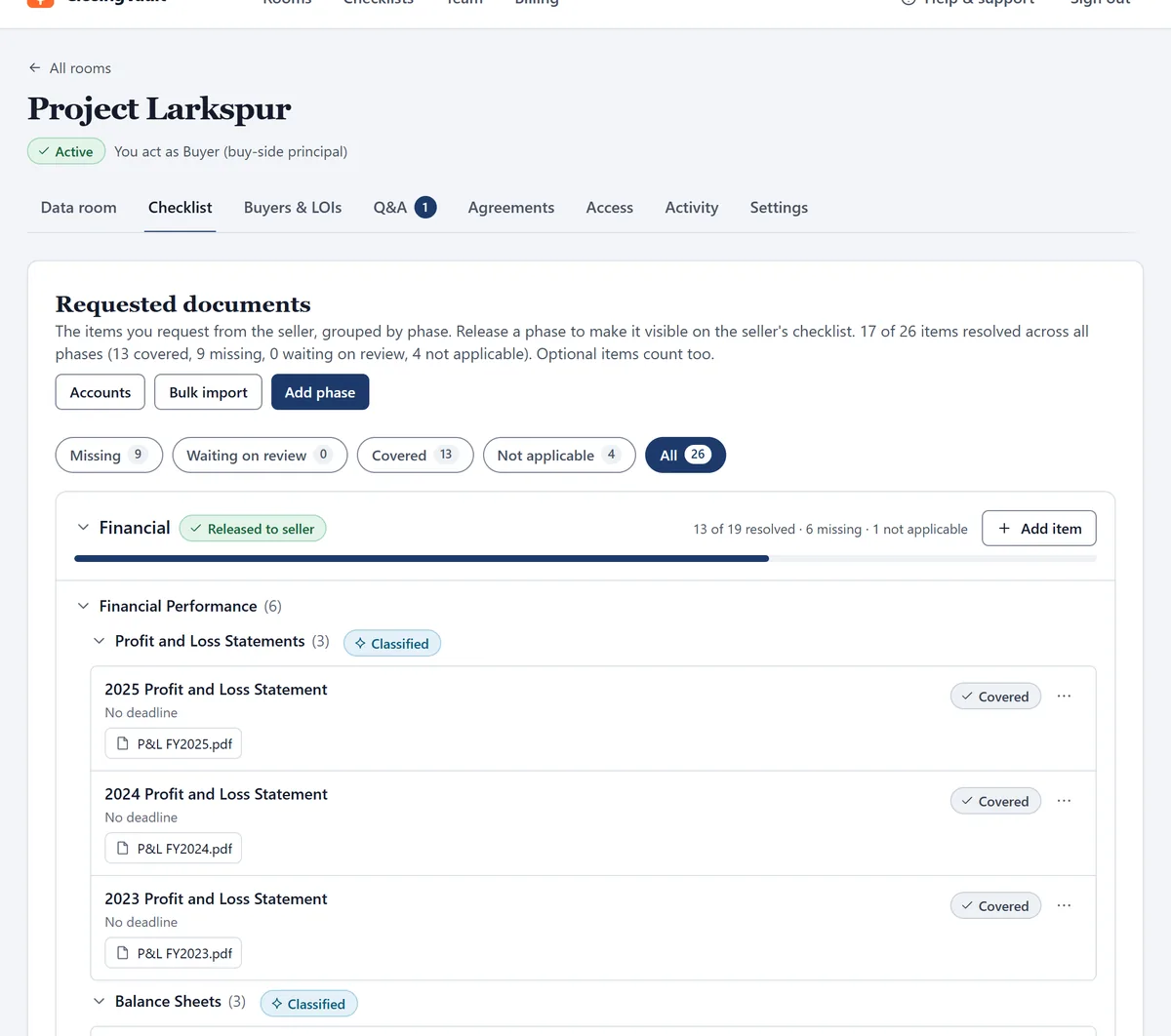
A buyer-run room in ClosingVault, headed “You act as Buyer (buy-side principal)”. The request list shows 17 of 26 items resolved, and the seller’s profit and loss statements for three years each marked Covered with the file attached.
The buyer’s own request list, filling as the seller’s documents land. Demo deal, invented names.

A buyer-run room

Your deal, your request list, your record.

Send your list, not a generic one.

Upload your due diligence checklist for buying a business as an Excel workbook and save it for the next deal. Split it into phases and release each to the seller now or on a date you set. The full ClosingVault checklist comes with paid plans.
The seller uploads. Your list fills.

The seller adds documents in batches of any size, as they find them. ClosingVault reads each file, scans included, files it with its period and ticks the request it answers. Bank statements land under the right account. You see covered and missing at a glance.

A request closes only two ways: a document, or the seller’s own signed statement that it never existed in the company. The seller is on the record. You are not chasing.

Ask the seller. Get the document back.

You and your team put questions to the seller, about a specific file or about anything at all. The seller answers with the document linked, and every question and answer stays on the record.

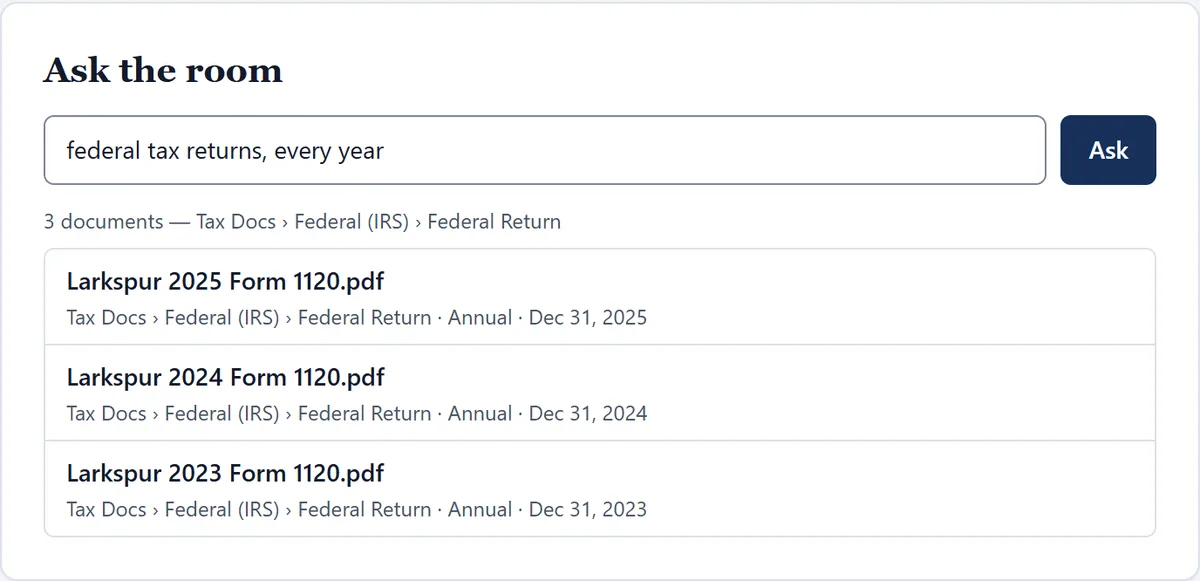
And ask the room itself: “federal tax returns, every year” brings back every return, in seconds, filed and dated.

Ask the room in a buyer-run room: the question “federal tax returns, every year” returns three documents, the 2025, 2024 and 2023 Form 1120, each under Tax Docs, Federal (IRS), Federal Return with its year-end date.

Bring your QoE, your attorney and your lender.

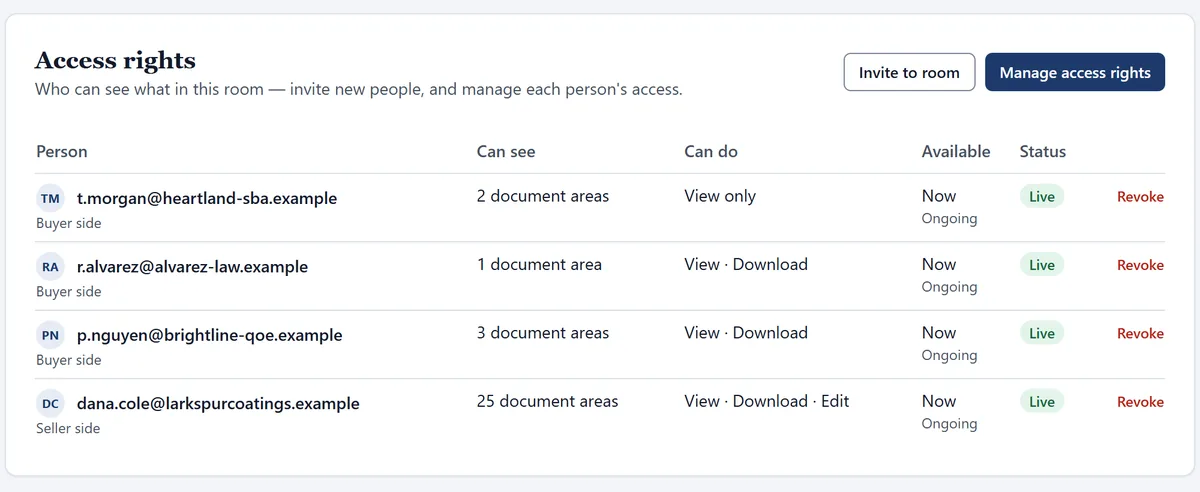
Invite each of them with their own access: the document areas they can see, whether they may download, and how long their access lasts. Your lender sees the financials. Your attorney sees the contracts and the leases. Revoke anyone in one click.

The Access rights page of a buyer-run room: an SBA lender who can see two document areas, view only; an attorney and a QoE accountant who can view and download; and the seller. Each is live and ongoing, with a Revoke link.

Every request on the record

The record you’ll want if there’s ever a dispute after closing.

Every room keeps a tamper-evident, hash-chained log. Entries can’t be edited or deleted in the app, and each is chained to the last, so a change is detectable.

  • What you asked for. Every request on your list, and when.
  • What the seller gave you. Every upload, which request it answered, and each newer version that replaced an older one.
  • What the seller said never existed. Each signed statement, with the seller’s name, the time and the exact words.
  • Who looked. Which person on your team opened or downloaded which document, and when.
A request marked Doesn’t apply: the seller confirmed it doesn’t apply to their company, with the seller’s name, email and the time, and the quoted statement “The information requested here isn’t present in, used by, and has never been used in my company.”
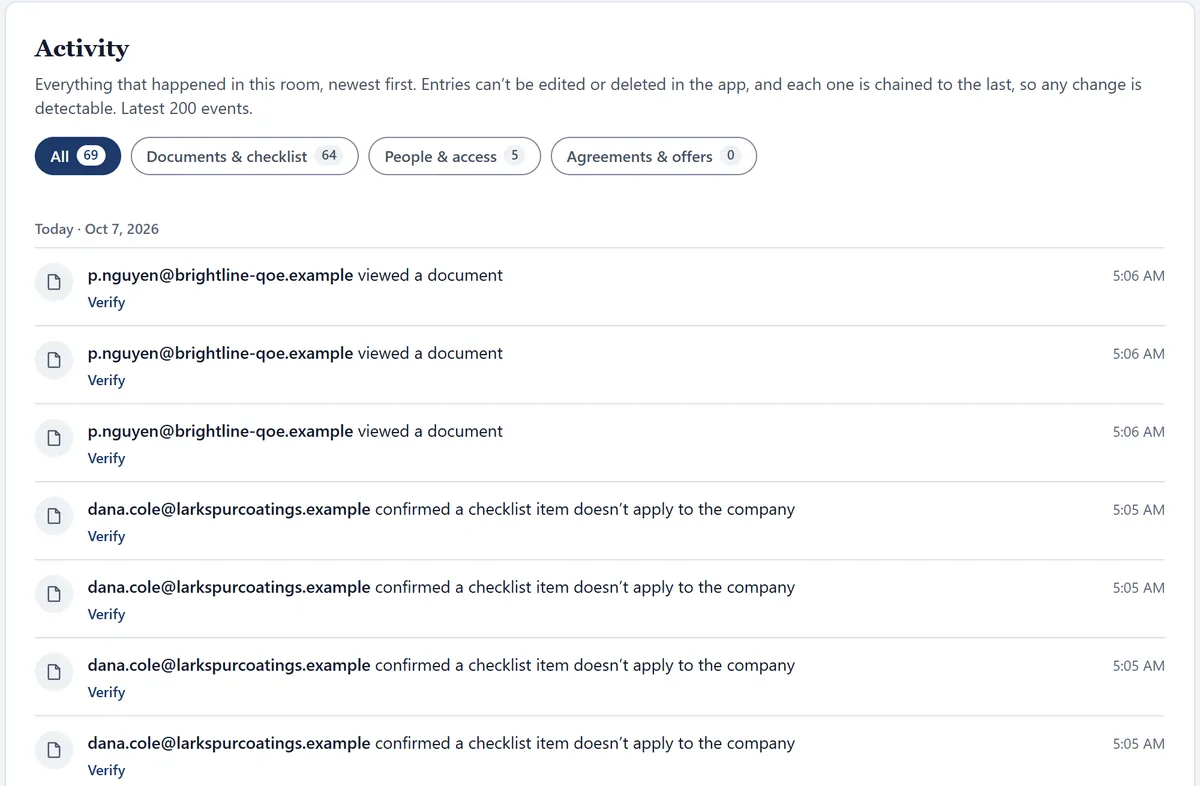
The room’s Activity log: a QoE accountant viewed documents, and the seller confirmed four checklist items don’t apply to the company, each with the time and a Verify link.

Who runs diligence with ClosingVault

Search funders on their first acquisition. Independent sponsors with a lender waiting on the QoE. Family offices, small PE and strategic acquirers. One room per target, your list in every one.

Pricing

Start on your next target.

30 days
Free on one deal room with your own checklist. We give you a sample layout and walk you through it.
25 firms
Get founding pricing, kept as long as they stay subscribed without a billing gap.
Paid plans
Include the full ClosingVault due diligence checklist.

Invited into a broker’s room?

You get the same room, free.

When a broker or seller runs the sale, they pay and you sign in. Read the NDA in full before you sign it, ask the room for any document, follow your LOI, and read every answered buyer question the sell side has published, with the asker never named.

Before you open a room

Can I use my own due diligence checklist?

Yes. Upload your request list as an Excel workbook when you open the room, and save it to start your next deal from the same list. The full ClosingVault checklist comes with paid plans.

What does the seller have to do?

Add documents in batches of any size, as they find them, with no renaming or sorting. ClosingVault files each one against your request list. Anything that never existed in the company, the seller signs off as such.

Can my QoE provider, attorney and lender work in the room?

Yes. Invite each of them with their own access: the document areas they can see, whether they can download, and how long their access lasts.

Who pays when a broker invites me into their room?

The firm that opens the room pays. If a broker or the seller invited you, you pay nothing.

Open a room for your next target.

30 days free with your own checklist. Founding pricing for the first 25 firms, kept as long as you stay subscribed without a gap.

We will only use your email to contact you about early access.